

Discuss a wireless control configuration matched to your tower crane’s operating functions and existing control system.
JIAYI offers industrial wireless remote control platforms and project-specific configuration support. For tower crane applications, suitability must be reviewed against the crane model, required commands, control interface and equipment manufacturer’s requirements.
Send your equipment information and electrical drawings so we can assess whether an available JIAYI platform fits your project.
Project-Based Configuration · Push-Button and Joystick Options · OEM Technical Review
Request a Configuration Review
Start with the Tower Crane’s Control Requirements
Selecting a tower crane remote control involves more than choosing a transmitter with enough buttons or joysticks.
The proposed system must provide the required operator commands and work with the crane’s existing control architecture. Depending on the equipment, the review may include motion functions, speed commands, receiver outputs, operating-mode selection and operator feedback.
A remote control should only be proposed after these requirements are understood.
| Information to Confirm | What We Need to Understand |
|---|---|
| Crane manufacturer and model | The equipment and its original control arrangement |
| Required movements | Which crane functions the remote must operate |
| Speed-control method | Discrete speed stages or another command interface |
| Existing controls | Push buttons, joysticks, controller inputs or other interfaces |
| Receiver supply | The available power supply at the proposed installation point |
| Operating arrangement | How remote operation will interact with existing control stations |
| Feedback requirements | Which indications the operator needs during operation |
| Project requirements | Applicable manufacturer, site and approval requirements |
Which Tower Crane Functions Need Remote Control?
Create a function list from the actual crane documentation. Not every tower crane has the same movements or control arrangement.
Hoisting and Lowering
Confirm how lifting and lowering commands are generated, how speed is selected and whether the operator control includes additional command stages or enabling functions.
Slewing
Identify the required clockwise and counterclockwise commands, their speed-control method and any requirements for coordinated operation with other movements.
Trolley Travel or Luffing
Depending on the tower crane design, radius adjustment may involve trolley travel or luffing.
Specify the mechanism fitted to your crane and the commands required. These functions should not be treated as interchangeable when preparing a configuration.
Auxiliary Functions
List any additional commands that the project requires, such as a horn or operating-mode selection.
Each function needs an agreed control assignment and a compatible receiver interface.
Send Your Crane Function List
Push-Button or Joystick Operation?
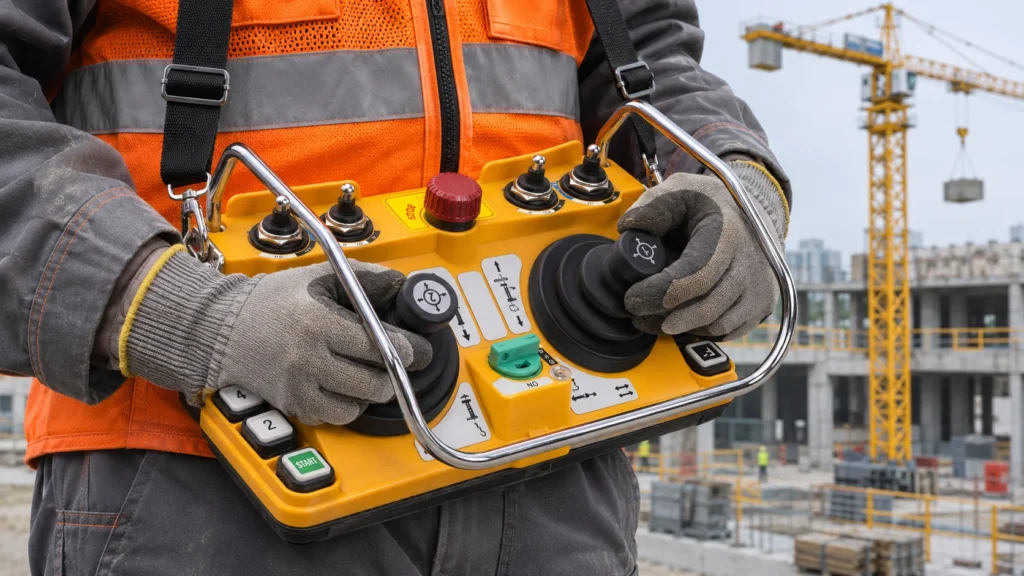
The transmitter should match the crane’s command requirements and intended operating method.
Push-Button Configurations
A push-button platform may be evaluated where the required commands can be represented by supported button functions and discrete control stages.
Suitability depends on the complete application. A standard crane remote should not be assumed compatible with a tower crane simply because its button labels appear suitable.
Joystick Configurations
A joystick platform may be evaluated where the project requires lever-based commands, multiple command stages or coordinated motion inputs.
Confirm the required axes, command stages, return-to-neutral behavior and any enabling controls. The appearance of a joystick does not establish its electrical output type or its compatibility with the crane.
| Selection Point | Details to Provide |
|---|---|
| Operator controls | Buttons, joysticks, switches and their assigned functions |
| Speed commands | Number of stages or required signal characteristics |
| Simultaneous commands | Which functions must operate together |
| Enabling controls | Required operator-enable or hold-to-run functions |
| Operator indications | Connection status and any required machine feedback |
Explore our industrial joystick remote control options as a starting point for discussion. Model suitability remains subject to project review.
Receiver and Control-System Integration
Power Supply
Confirm the electrical supply available for the receiver. The crane’s main incoming supply does not, by itself, identify the receiver’s required voltage.
Command Interface
Provide the electrical drawings showing how the existing operator controls communicate with the crane control system.
The review should identify the required output types, signal characteristics and connection arrangement. Relay commands, analog signals and communication interfaces are different requirements; support must be confirmed for the proposed platform.
Existing Control Stations
State whether the project will retain a cab control station, wired controller or another operating position.
The control design must define how operating authority is selected and how conflicting commands are prevented.
Protective Functions
The wireless control proposal must be reviewed alongside the crane’s existing protective functions and operating procedures.
Adding a remote control does not replace the crane’s protective systems or establish that the modified equipment is approved for operation. Integration, validation and commissioning must follow the equipment manufacturer’s requirements and applicable project rules.
Wireless Range and Installation Conditions

Do not select a remote control solely from an advertised open-area operating distance.
For a tower crane project, describe the intended operating positions, receiver location, structural obstructions and surrounding wireless environment.
Useful information includes:
- Required operating area
- Receiver and antenna mounting locations
- Steel structures and other signal obstructions
- Nearby radio-controlled equipment
- Environmental exposure
- Required behavior if communication is interrupted
A proposed wireless configuration should be evaluated under the intended installation conditions before operational acceptance.
Read more about wireless range, signal stability and interference considerations.
New Equipment, Replacement or Retrofit?
OEM and New Equipment Projects
Share the control specification early in the equipment design process.
A clear function list, interface specification and validation plan help determine whether an available remote-control platform can meet the project requirements.
Replacement of an Existing Wireless System
Provide the full transmitter and receiver model numbers, wiring diagrams and required functions.
An alternative system must be assessed against the original command interface and operating requirements. Similar housings, labels or radio frequencies do not establish compatibility.
Adding Remote Operation to Existing Equipment
A retrofit requires review of the existing control architecture and the equipment manufacturer’s requirements.
Before selecting hardware, establish whether remote operation is permitted for the intended equipment and use, what modifications are required and who will validate the completed installation.
For general replacement considerations, see Can You Replace Only a Crane Remote Control Transmitter?.
How JIAYI Reviews Your Configuration Request
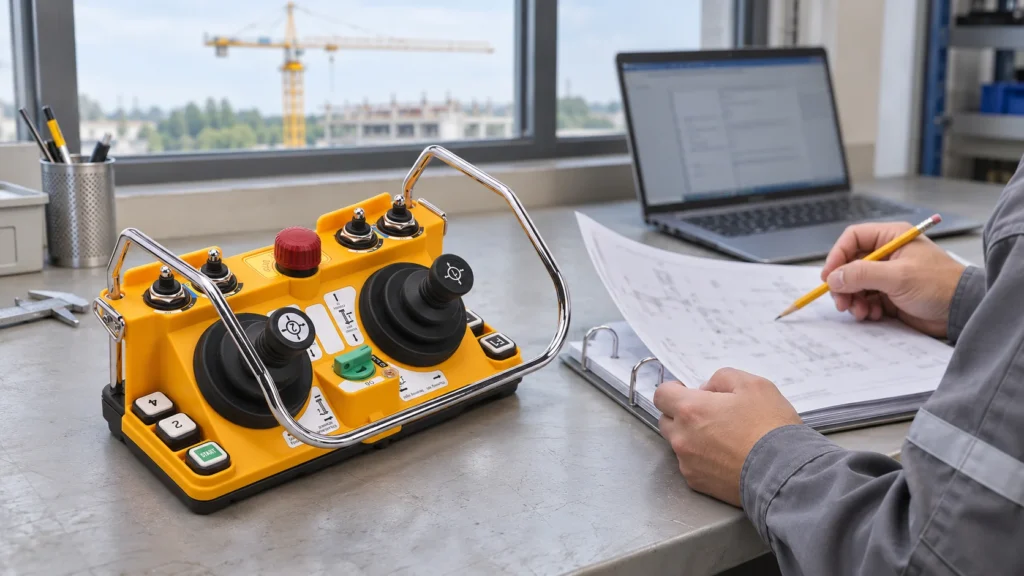
1. Collect the Equipment Information
Send the crane model, existing control details, electrical diagrams and project requirements.
2. Define the Required Commands
List each movement, its speed-control method, auxiliary functions and required operator indications.
3. Check Available Platform Compatibility
We review the requested functions against available transmitter and receiver configurations and identify any items requiring further engineering confirmation.
4. Agree on the Proposed Configuration
Where a suitable option is available, confirm the control layout, receiver interface, documentation and sample requirements before ordering.
Project acceptance and commissioning requirements should be agreed with the responsible equipment and engineering teams.
Frequently Asked Questions
Can JIAYI supply a wireless remote for any tower crane?
Suitability must be assessed for each project. Send the crane model, required functions and control diagrams so we can determine whether an available platform is appropriate.
Should I choose a push-button or joystick transmitter?
Choose according to the crane’s command requirements and intended operating method. The number of movements, speed stages, simultaneous commands and enabling functions all affect the selection.
Can I replace only the transmitter?
Only when compatibility with the existing receiver and control functions is confirmed. Matching frequency or a similar control layout is not sufficient.
Do all joystick remotes provide proportional control?
No. A joystick’s physical form does not identify its electrical output. Confirm the exact command stages or signal requirements and the capabilities of the proposed model.
What operating distance should I request?
Describe the required operating area and installation conditions. Advertised range alone does not establish reliable performance at your site.
Can the remote display crane operating information?
Feedback capability depends on the transmitter, receiver and machine interface. List the required indications so their availability can be checked. A basic connection indicator should not be treated as a display of crane operating data.
What documents are needed for a quotation?
Provide the crane manufacturer and model, function list, electrical diagrams, receiver supply, required interfaces, intended operating arrangement and quantity. Include any project-specific approval or documentation requirements.
Discuss Your Tower Crane Remote Control Project
Send your crane information and control requirements for a configuration review.
We will assess available options, identify missing technical details and explain whether a suitable JIAYI platform can be proposed.
Request a Configuration Review
Email: sales@jiayiremotecontrol.com